


You fix a product count once, feel relieved for about an hour, and then another listing drifts out of sync. That’s why ChatGPT tasks for inventory updates can sound so appealing to an indie shop owner: one scheduled prompt, one less thing slipping through the cracks, one calmer Friday afternoon.
But stale listings rarely come from a single missed edit. They come from a stack of small recording gaps, overlapping apps, delayed syncs, and quiet assumptions about which system is telling the truth. A scheduled AI task can help surface the mess at the right moment, yet it also inherits every weakness in the workflow beneath it. The real question is whether the reminder is connected to reality.
Workflow audit: Converting inventory drift into weekly tasks
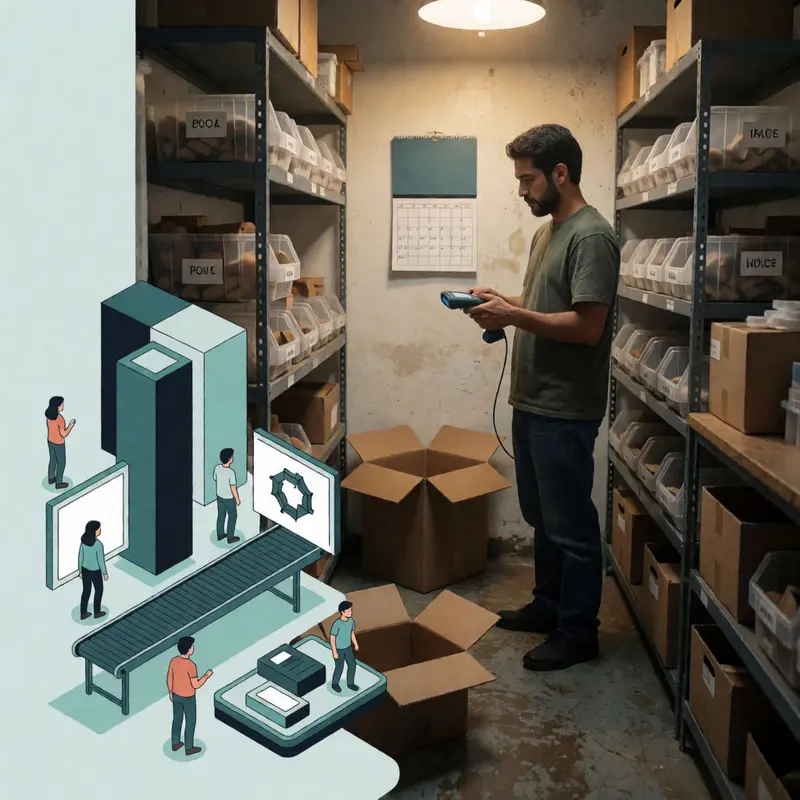
You count eighteen ceramic mugs on the shelf on Tuesday, then notice your Shopify listing still reads ‘low stock: 4’ on Friday. Nothing sold. Nothing was restocked. The number simply drifted, pulled by a return that was never logged, a variant whose inventory tracking got switched off somewhere in a settings update, or a fulfilment app quietly writing its own stock figures over yours. The gap between what the shelf says and what the listing says is a structural problem. Physical movement keeps happening, but the recording routine doesn’t.
The drift compounds quickly when multiple apps hold inventory write permissions simultaneously. Each one treats itself as authoritative, and without a designated source of truth, corrections cancel each other out between syncs. Third-party tools can reconcile as frequently as every 5 – 30 minutes, but that speed only helps if the underlying data going in is clean, meaning returns logged, damaged units recorded, and only one system allowed to write final quantities.
Auditing your own workflow for these gaps is the first step, and it’s also where scheduled tasks become useful. You can convert the audit into a recurrent prompt: a scheduled instruction that fires weekly, pulls your attention to variants flagged as stale, and asks you to confirm or correct. The Shopify Flow model for this is a weekly trigger that compares inventory figures against a threshold and sends an internal alert. ChatGPT’s Tasks feature works along the same logic, scheduling a prompt and delivering its output by notification or email.
The boundary worth keeping in mind is that ChatGPT doesn’t hold live stock data on its own. Scheduled prompts surface what your system already knows and routes back to you, which means their usefulness depends entirely on whether your inventory records reflect what the shelf actually contains. A well-timed reminder built on inaccurate source data catches nothing.
Capability audit: Recurrence control, hourly limits, and human sign-off

Scheduling a recurring task sounds deceptively simple, and ChatGPT Tasks makes it even easier to start configuring before you understand what you’ve committed to.
ChatGPT Tasks pairs an instruction with a timing rule and runs it without you being present. You can set a specific clock time or a broader window (morning, afternoon, evening), and you can tell it to repeat daily, weekly, or monthly. For cadence that doesn’t fit those patterns cleanly, the underlying architecture supports RFC 5545 RRULE syntax, the same recurrence specification used by calendar standards, which lets you define something like “the second Monday of each month at 9 AM” rather than settling for a weekly approximation. You manage everything from a central Tasks area, where you can pause, resume, or delete a run without opening a new chat.
Those controls are genuinely useful for ChatGPT tasks for inventory updates, but they come with hard architectural ceilings that change the design question. A task cannot fire more than once per hour, and the total number of active tasks your account can hold depends on which plan tier you’re on. If your inventory workflow needs sub-hourly checks across a dozen product variants, you need a mechanism designed for sub-hourly checks across a dozen product variants. Scheduled tasks fit a weekly cadence that surfaces what needs human attention rather than replacing a live sync.
That distinction is where the human-in-the-loop checkpoint pattern does its real work. The pattern, as applied here, means the task runs, produces an output (a flagged list, a draft correction, a summary of stale variants), and then stops and waits. Nothing customer-facing changes until you review it. OpenAI’s own guidance frames guardrails this way: you define output format and confirmation requirements in the prompt itself, so the task asks for your sign-off before any update proceeds. Pair that with Memory or a pinned reference containing your shop-specific context, and the recurring runs stay consistent without re-explaining your rules each time.
The result is an automation that holds its position at the edge of action and hands you the decision at the moment it actually matters.
Integration audit: No native connectors—middleware runs the workflow

No native connector exists between ChatGPT Tasks and any of the platforms you’re probably running. That’s the architectural reality, and working with it honestly changes how you design the rest of the workflow.
The practical path runs through middleware: Zapier connects Google Sheets to both Shopify and WooCommerce through a four-step flow: authenticate the apps, define a trigger, define an action, and pass the data across. Square fits into the same ecosystem, Zapier’s Square integrations surface Shopify, WooCommerce, and Sheets-adjacent tools as common connection points, alongside lower-level options like Webhooks and Code for shops that need more control. The pattern this creates is consistent: ChatGPT Tasks writes its output to a Sheets cell or row, and a Zapier zap picks up that change and pushes it downstream. ChatGPT never touches your storefront directly.
For shops running both WooCommerce and Square simultaneously, a more direct option exists. The WooCommerce Square extension handles product and inventory synchronization between the two platforms natively, and lets you designate either side as the source of truth. That sounds cleaner than routing through a spreadsheet, and in many configurations it is, though the sync carries a structural limit worth understanding before you commit. Square POS sales orders do not sync back to WooCommerce, and even when WooCommerce is designated as the authoritative source, inventory is still pulled from Square on an hourly cadence. If your in-person and online sales volumes are both active, that gap means your WooCommerce stock counts can lag behind what Square actually holds.
Etsy sits slightly apart. A Shopify App Store connector uses the Etsy API to enable real-time inventory sync between the two platforms, but the listing makes explicit that the tool is not endorsed or certified by Etsy. For a shop using Trunk, the picture broadens further: that inventory management layer can connect Shopify, Etsy, WooCommerce, Square, and several other channels under one roof, which simplifies the middleware question considerably but introduces its own dependency.
What this audit surfaces is a topology. Each path has a seam, and the seam is where the failure modes will find you.
Risk & reliability audit: Pausing, failures, and safe rollbacks

The previous chapter identified seams that can become failure points, so the key issue is whether the safety architecture around ChatGPT Tasks is robust enough to protect you when something goes wrong.
The controls OpenAI provides are real and accessible. From the task sidebar, you can edit a scheduled task, pause it, or delete it outright. The platform will also pause a task automatically if its associated chat is deleted, if it goes inactive, or if it needs input from you before it can continue. A structural ceiling keeps tasks from running more than once per hour, which limits the blast radius of any single runaway execution. For most routine inventory-update workflows, these guardrails are sufficient for what they’re designed to do.
The task sidebar gives you edit, pause, and delete controls, but at least one documented community report describes a task on ChatGPT 4o that could not be stopped despite those options being present, which means treating cancellation as a guaranteed backstop is optimistic. The more reliable posture is to design tasks so that a failure to cancel is merely annoying rather than consequential: outputs should write to an intermediate layer like a spreadsheet rather than touching live product records directly, so a runaway task produces a stale cell.
Reliability risk runs alongside the control question. Community reports describe recurring task-processing failures, tool availability that shifts across sessions, and platform incidents that produced hours-long elevated error rates affecting both ChatGPT and the API. These aren’t edge cases you can assume away. A ChatGPT tasks for inventory updates workflow that depends on consistent execution will occasionally miss a scheduled run, and if your downstream Zapier trigger fires on an empty or malformed output, the error propagates silently unless you’ve built a check for it.
On the agentic side, the safeguard architecture is more layered: user confirmations before consequential actions, prompt injection monitoring, and a watch mode that pauses execution when supervision lapses. Trajectory-level monitoring can interrupt a session when the model starts working around the boundaries you’ve set. These are meaningful protections, but they also signal where the real exposure lives: in long-horizon, multi-step runs where context drifts and the model fills gaps with inference rather than confirmed data. Any output used operationally without a human review step carries that risk embedded inside it.
Strategic Verdict audit: The 10-task ceiling draws the line

The ceiling of 10 active tasks at a time is the most clarifying number in this entire evaluation. It doesn’t kill the use case for ChatGPT tasks for inventory updates; it defines it. Ten slots is enough to cover a handful of SKU-level reorder checks, a weekly draft of your slow-mover report, and a prompt that surfaces seasonal pattern warnings before you’ve thought to look. That’s a meaningful workload for a shop running on thin margins and thinner staff time. It is not a workload for a business managing hundreds of active SKUs across multiple channels that need continuous, synchronized status.
Where Tasks earns its place is in the planning and drafting layer. A scheduled task that highlights a specific inventory problem, generates a draft recommendation, or formats a report for your review is doing work that a dedicated automation tool generally won’t touch. Shopify Flow will sync your stock counts; it won’t write you a prioritized reorder rationale with margin context attached. That interpretive middle ground is where Tasks operates best, and because the feature is still in beta, building it into workflows where a missed run is merely inconvenient keeps the reliability risk manageable rather than consequential.
Dedicated automation wins on three specific dimensions: volume, continuity, and auditability. If processing sales history at scale, keeping in store and online channels synced without gaps, or logging every state change for reconciliation is required, the infrastructure must include retries, alerts, and persistent records. Tasks provides none of those controls. G2’s framework for evaluating automation effectiveness, measuring time saved, error rates, and required human intervention, exposes this gap quickly: a task that silently fails a scheduled run scores poorly on all three metrics the moment you try to use it as an operational backbone.
The practical verdict runs like this: use Tasks to make better decisions faster, and use dedicated automation to execute those decisions reliably. The shops that extract the most value from both treat them as complementary rather than competing, and the boundary between them stays clear as long as you know which one you’re asking to carry consequential weight.
Final thoughts
The ten-task ceiling gives the clearest answer in this review: ChatGPT earns its keep when inventory work needs judgment, pacing, and a human final check. That puts the feature in a very specific lane for indie shops. It helps turn drifting stock records into reviewable decisions instead of leaving them as background noise until a customer finds the mistake first.
The topology described across these systems matters because every seam creates a handoff, and every handoff needs an owner. ChatGPT tasks for inventory updates work best when they sit at that seam like a checkpoint, catching uncertainty before it reaches a live listing. Used that way, the tool buys attention where attention is expensive, and it leaves execution to systems built to carry weight.


